

Getting started
Herdr setup
Run Claude Code, Codex, Grok, and any other coding agent from one terminal with Herdr, Ghostty, Neovim, and lazygit. Dave's config files, ready to copy.
Dave runs every coding agent from one terminal window. This guide is the full setup, with each config file ready to copy. Follow it yourself, or point your agent at this page and let it do the install.
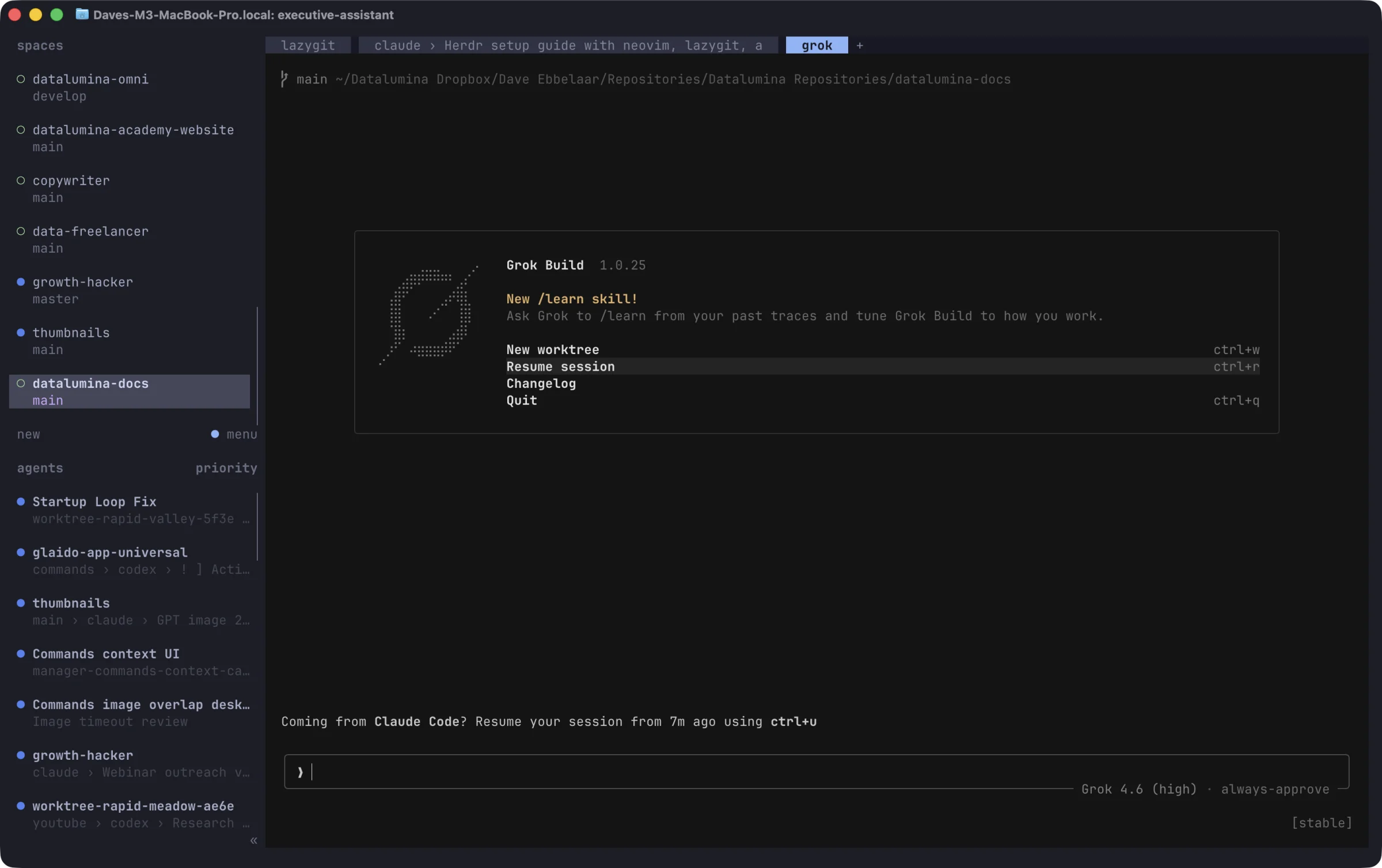
Workspaces on the top left, one per repo. Agents below, sorted by who needs you first. The main area is a normal terminal with tabs and splits.
Why Herdr
Every provider ships its own desktop app. Use more than one and you switch apps all day. The CLI versions of the same agents fix that. They run in the same place and behave the same way.
A plain terminal has its own problem. One agent per window, no overview, and when you close the window the session is gone.
tmux solved that years ago. A background server owns the sessions, and you attach and detach as you like. Dave never used it. It is keyboard only, and the desktop apps were easier.
Herdr is the same idea, built for agents. A server keeps every pane alive. A sidebar shows which agent is working, which one is blocked on a question, and which one is done. Everything is clickable, so you navigate with the mouse. And agents can control Herdr through its CLI, so one agent can start and manage another.
From Cursor to the terminal
Dave kept Cursor open next to the agents for one job. Reading code and diffs. Neovim with a file tree, plus lazygit for diffs and commits, replaced that. Both run inside Herdr, and that is what made the terminal setup stick.
What you will set up
- A terminal with a few keys freed for Herdr.
- Herdr, with agent integrations and Dave's colors, spacing, and shortcuts.
- Neovim as a code viewer, lazygit as a git overlay, and zoxide to jump between folders.
- The Herdr skill, so agents can delegate work to each other across harnesses.
Each page explains how a part works first. Then a "Dave's setup" section shows the config to copy.
macOS, Linux, and Windows
Dave works on macOS. Linux is the same except the package manager. Windows differs in the terminal, the config paths, and the modifier keys, so every page has a short Windows note where it matters. Written with Herdr 0.8.2, Ghostty 1.3, Neovim 0.12, and lazygit 0.64.