

Getting started
Company knowledge base
Build an internal company handbook with Fumadocs, then add editing and semantic search with Sanity.
Build a company homepage, organize policies by department, and let people search with the words they would use in a conversation. First, run the standard Fumadocs starter to see what it provides. Then open the complete company handbook and work backward through the files that make it run.
This project accompanies a Sanity collaboration for Dave Ebbelaar's YouTube channel. Sanity provides the shared content backend, an editor for the team, and semantic search.
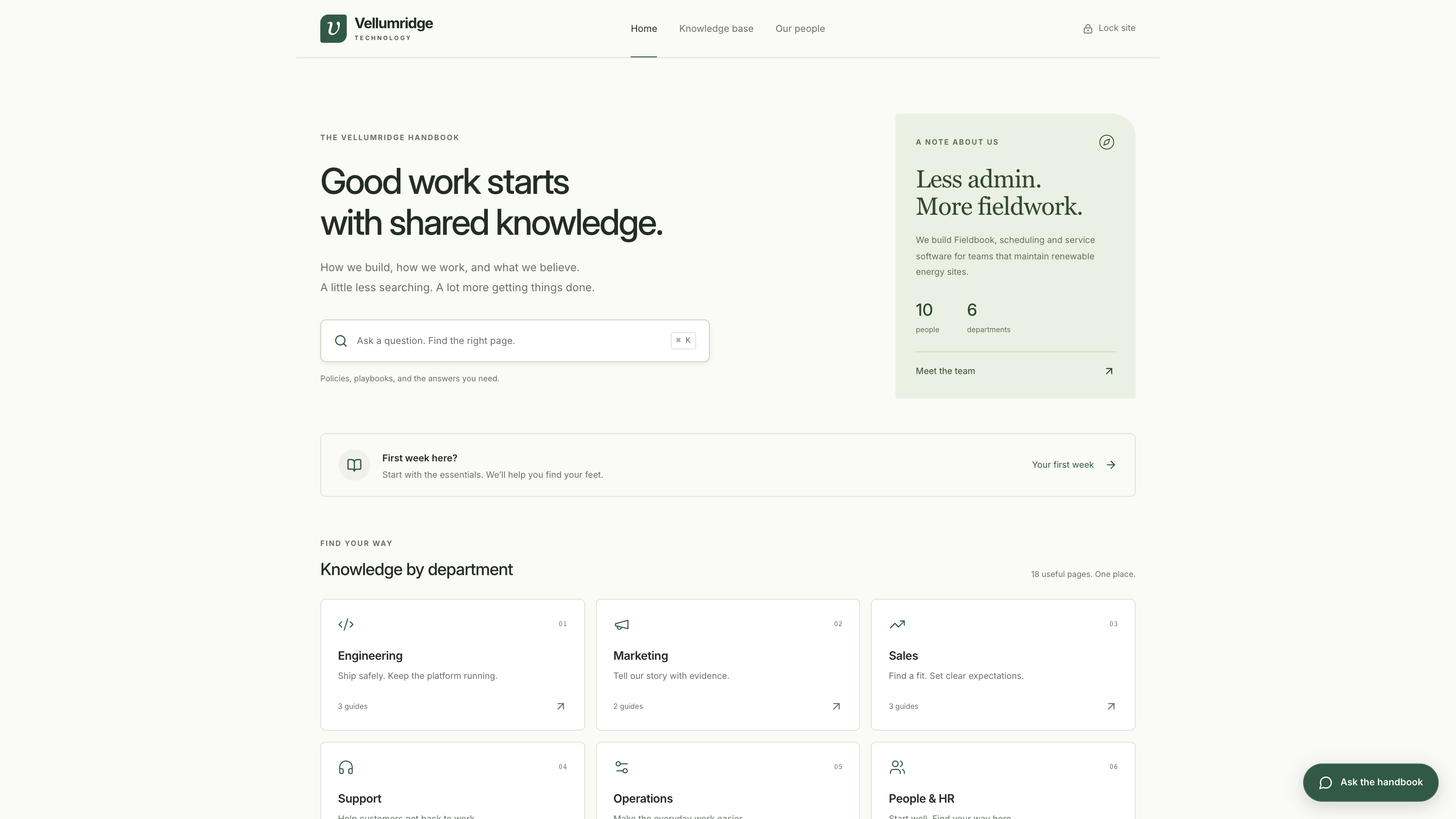
What you build
Vellumridge Technology is a fictional company with 10 colleagues. It builds Fieldbook, software for teams maintaining renewable energy sites. Its handbook contains 18 short pages across Engineering, Marketing, Sales, Support, Operations, and People & HR.
The team directory gives each colleague a role, bio, and responsibilities. Page owners link to their profiles, so you can ask who to contact as well as what a policy says.
The examples have enough detail to ask useful questions. A missing laptop, a discount request, and a client trip each lead to a different policy and owner.
Let the team maintain it
Markdown in Git works well when the people maintaining a handbook are comfortable editing files. As more departments contribute, routine policy updates should be something the team can handle themselves.
With Sanity, a colleague can publish a change in Studio, or ask a connected AI agent to prepare it. The handbook reads the published content without a code deployment. Sanity also maintains the embeddings used to search that content by meaning. You will set up the editor first, then explore search and optional agent editing.
Follow along
I recommend following along with Claude Code, Codex, or Grok. Use your preferred assistant to explain unfamiliar files, help with errors, and adapt the handbook to your own use case. You can follow the guide with limited programming experience; make one change at a time and check it in the browser.
If your assistant can open the project folder, give it access to that folder. Otherwise, paste the relevant file or error when you need help.
- Try Fumadocs with a plain sample site.
- Run the example and explore the finished handbook.
- Explore the project structure to find the content, code, and agent instructions.
- Understand the layout by tracing the homepage, sidebar, pages, and styling.
- Connect Sanity so colleagues can maintain content in a hosted editor or through an agent. Then explore semantic search and chat.
You need Node.js and a terminal to begin. The complete repository already includes all 18 pages and 10 people as local files, so your first run needs no Sanity or OpenAI account. You will use the same branch throughout, connect your own Sanity project later, and add chat last if you want it.
Try this prompt in your assistant before making changes.
I'm following the company knowledge base guide and have limited programming experience.
Help me complete the current step. Explain unfamiliar terms in plain language,
show which files are involved, and help me check the result before moving on.
Keep the setup small.
The website runs on your computer throughout the guide. The Sanity stage stores the fictional content in a hosted private dataset. A shared password protects the demo website.